Galaxy Z Fold 5: 7 features that will change your experience
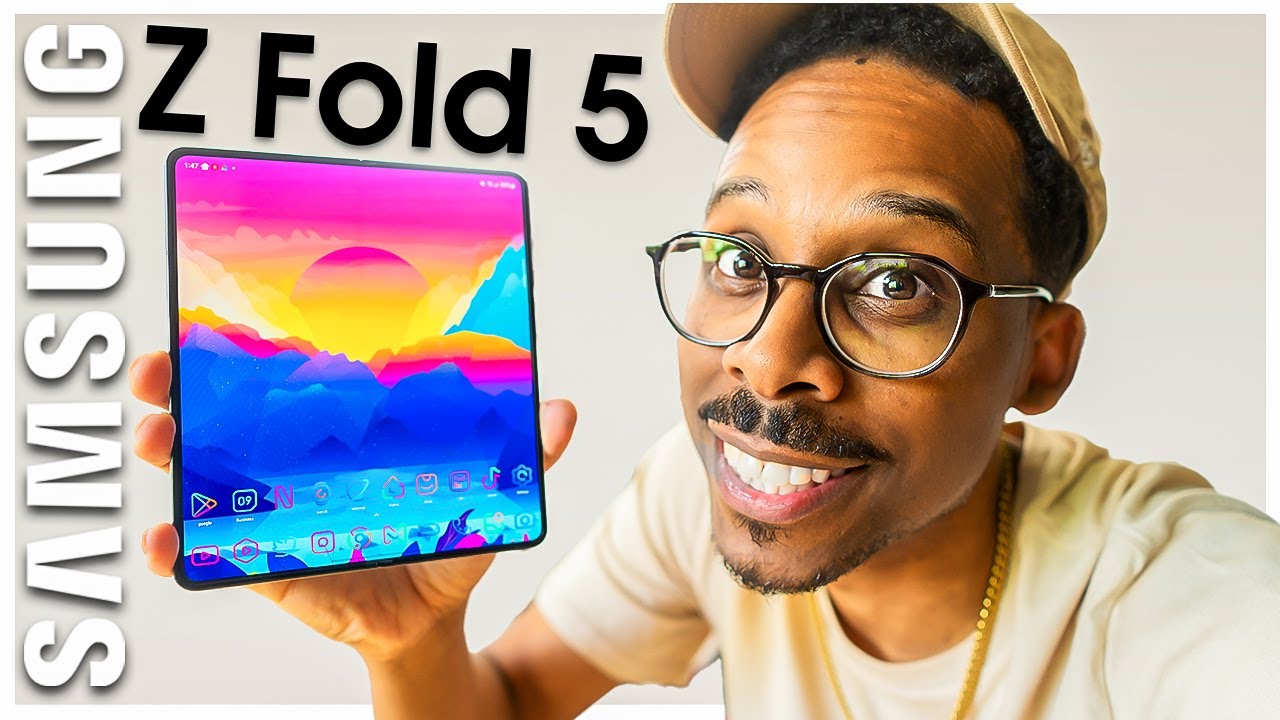
Galaxy Z Fold 5: The Next Evolution in Mobile Technology
Are you ready to experience innovation like never before? The Galaxy Z Fold 5 is here, combining elegance and functionality into a single powerhouse of a device. 🌌 This cutting-edge foldable smartphone is designed to handle your multitasking needs while offering an immersive display experience. Let’s dive deeper into what makes the Galaxy Z Fold 5 a standout choice in the world of mobile devices.
Design and Display: A World-Class Experience
The design of the Galaxy Z Fold 5 showcases the craftsmanship of modern technology. With a 7.6-inch main display and a 6.2-inch cover display, it offers a multitude of perspectives for users. The device’s sleek, foldable design allows it to easily slip into a pocket while delivering a tablet-sized experience when unfolded. But how does it compare to earlier models and competitors?
Enhanced Durability
One of the main advancements in the Galaxy Z Fold 5 is its improved durability. Enhanced hinge technology and Gorilla Glass Victus 2 ensure that this device can withstand daily wear and tear more efficiently than its predecessors. Users will find that they can enjoy peace of mind knowing their device is built to last.
Screen Quality and User Experience
Unlike many competitors, the Galaxy Z Fold 5 features Dynamic AMOLED 2X technology, which boasts vibrant colors and deep contrasts. This makes binge-watching your favorite shows or working on important projects a visually stimulating experience. What’s more, the adaptive refresh rate of up to 120Hz provides a seamless and responsive touch.


Performance: Power Under the Hood
Equipped with the latest Snapdragon 8 Gen 2 processor, the Galaxy Z Fold 5 delivers stunning performance. Whether you are gaming or multitasking with several apps, the speed and efficiency of this smartphone remain unmatched.
Multitasking Like a Pro
The Galaxy Z Fold 5 allows users to open multiple apps simultaneously, making it ideal for productivity. For instance, you could use the Samsung Notes app on one side while participating in a video call on the other. This feature truly sets the device apart from traditional smartphones.
Battery Life That Keeps Up
Battery life is critical for any mobile device, and the Galaxy Z Fold 5 does not disappoint. With a substantial 4,400 mAh battery, it can easily last a full day of usage. Coupled with fast charging technology, you can ensure that your device is always ready to go, unlike many other foldable alternatives.
Camera: Capture Stunning Moments
The camera system on the Galaxy Z Fold 5 is nothing short of exceptional. Featuring a triple camera setup on the rear (with a 50MP wide, 12MP ultra-wide, and 10MP telephoto lens), your photos will come out sharp and vibrant. Let’s see how this camera performs against others in its class.
Versatility in Photography
Unlike other flagship smartphones, the Galaxy Z Fold 5 offers an impressive array of shooting modes, including Night Mode and Super Steady video recording, making it perfect for every occasion. The flexibility of having a large viewfinder when the device is unfolded adds to the user experience, allowing more creativity in photography.
Selfies and Video Calls
With a front camera that features a 10MP sensor, taking selfies has never been easier. Plus, the ability to utilize the larger display as a viewfinder enhances the experience for video calls, compared to traditional smartphones where the screen is much smaller.
Complementary Tools for a Seamless Experience
The beauty of the Galaxy Z Fold 5 lies in its ability to integrate with powerful tools and apps that enhance your usage. Here are some complementary tools you can incorporate:
- Samsung DeX – Transform your device into a desktop experience.
- Google Workspace – Enhance productivity with cloud-based collaboration tools.
- Microsoft Office – Create and edit documents on the go.
- Adobe Creative Cloud – Harness advanced editing tools for creatives.
- Notion – Organize notes and projects seamlessly.
- Spotify – Enjoy music while multitasking without interruptions.
- C-maps Planner – Plan your projects effectively with visual aids.
- Zoom – Stay connected with high-quality video conferencing.
Utilizing Samsung DeX
By using the Galaxy Z Fold 5 together with Samsung DeX, you’ll experience a PC-like environment that improves productivity. Here are the benefits:
- Use multiple applications in a single view.
- Connect to a monitor for a larger display experience.
- Drag and drop files easily between apps.
- Utilize keyboard shortcuts for enhanced efficiency.
Taking Advantage of Google Workspace
Enhance your productivity by integrating Google Workspace with your Galaxy Z Fold 5. Here’s how it can help:
- Access documents, emails, and calendars in one integrated platform.
- Real-time collaboration with team members.
- Shared drives for easy team file management.
- Compatible with various applications for enhanced functionality.
Unmatched Software Experience
The software that runs on the Galaxy Z Fold 5 is equally impressive. Running on Android 13 with the One UI 5, users get to enjoy a customizable interface that enhances productivity. The user interface is specifically optimized for foldable devices, making it intuitive and functional.
Customization Options
One UI allows for a highly customizable experience, which helps users tailor their device to their preferences. From changing themes to adjusting how notifications appear, the Galaxy Z Fold 5 ensures a personal touch at every level.
Regular Updates and Support
Samsung is known for its commitment to regular software updates. With the Galaxy Z Fold 5, users will receive timely updates for security and new features, thus extending the life of the device and maintaining its performance over time.
Conclusion and Final Thoughts
The Galaxy Z Fold 5 is undoubtedly a remarkable device that redefines what a smartphone can do. With its stunning design, remarkable performance, and robust camera capabilities, it stands out in the ever-growing smartphone market. Additionally, by integrating complementary tools such as Samsung DeX and Google Workspace, users can maximize their productivity and creativity. Experience the future of mobile technology and elevate your daily routine with the Galaxy Z Fold 5!
Features of the Galaxy Z Fold 5
The Ultimate Guide to the Galaxy Z Fold 5
Are you ready to unfold a new world of possibilities? 🌌 The Samsung Galaxy Z Fold 5 brings together the latest technology and innovative design to enhance your smartphone experience. This article explores its standout features, advantages, and how you can leverage complementary tools to maximize your device’s potential.
Key Features of the Galaxy Z Fold 5
When it comes to features, the Galaxy Z Fold 5 is designed to impress. Below are some key aspects that make it one of the leading foldable smartphones on the market:
1. Stunning Display
The Galaxy Z Fold 5 features a 7.6-inch Dynamic AMOLED 2X display that offers stunning visuals with vibrant colors and deep contrasts. This large screen provides ample space for multitasking, viewing content, and gaming.
2. Enhanced Durability
With its refined hinge and Gorilla Glass Victus+, the Z Fold 5 is built to endure daily use while still looking sleek. The IPX8 water resistance rating also adds an extra layer of durability against spills and splashes.
3. Improved Multitasking Capabilities
One of the standout features is its ability to run up to three apps simultaneously on the expansive screen, making it ideal for productivity. You can have a video call, browse the web, and take notes all at once!
4. Camera Performance
The camera system includes a triple-lens setup with wide, ultra-wide, and telephoto lenses, offering exceptional photography and videography capabilities. You can capture stunning images in various lighting conditions smoothly and without hassle.
Why Choose the Galaxy Z Fold 5?
Compared to other foldable phones, like the Huawei Mate X2, the Galaxy Z Fold 5 stands out due to its versatility and user-friendly interface. Its software optimization allows you to maximize the multitasking experience without tedious learning curves.
Complementary Tools to Enhance Your Galaxy Z Fold 5 Experience
While the Galaxy Z Fold 5 is packed with features, utilizing complementary tools can add even more value to your smartphone experience. Here are ten tools to consider:
1. Samsung DeX
By using Samsung DeX, you can turn your Galaxy Z Fold 5 into a virtual workstation. This allows you to connect to a monitor and use your device in a desktop mode, making multitasking seamless.
2. Microsoft Office Suite
Integrating the Microsoft Office Suite with the Galaxy Z Fold 5 enhances productivity. Here are four key advantages:
- Document Editing: Effortlessly edit Word documents on the go.
- Real-time Collaboration: Edit spreadsheets in real-time with colleagues.
- Storage Access: Access files from OneDrive or SharePoint.
- User-friendly Interface: Optimized for the large screen for easy navigation.
3. Adobe Creative Cloud
The Adobe Creative Cloud apps on Galaxy Z Fold 5 allow you to edit photos and videos no matter where you are, combining portability with powerful creative tools.
4. Note-taking Apps like Notion
Utilizing Notion for organizing your thoughts, projects, and notes improves productivity on the go. Its adaptability fits within the foldable space perfectly.
5. Google Drive for File Storage
Storing your files on Google Drive ensures all your documents and media are backed up and accessible, enhancing the utility of your Galaxy Z Fold 5.
6. Video Conferencing Tools like Zoom
The large display is perfect for video calls. With Zoom, you can attend meetings comfortably with a view that’s both crisp and immersive.
7. Gaming Apps
Leverage the Galaxy Z Fold 5’s powerful hardware by downloading games. The expansive screen provides immersive gameplay experiences that are enhanced through optimized gaming apps.
8. E-Reading Apps like Kindle
For avid readers, the Kindle app allows you to turn your device into a portable library. Consider these advantages:
- Convenience: Carry hundreds of books in your pocket.
- Customizable Reading Experience: Adjust font sizes and background colors.
- Offline Access: Download books for reading without an internet connection.
- Annotations: Highlight and take notes directly in the app for better retention.
9. Health Tracking Apps
Utilize health apps like Samsung Health to monitor your fitness on the Galaxy Z Fold 5. Track your fitness goals while keeping everything organized.
10. Cloud Printing Services
Print documents directly from your Galaxy Z Fold 5 by using cloud services. This provides an option for easy access to hard copies without needing physical connections.
Conclusion: Unleashing Potential
The Galaxy Z Fold 5 is not just a smartphone; it’s a multi-functional device that integrates seamlessly with various complementary tools to enhance your productivity and efficiency. By leveraging tools such as the Microsoft Office Suite and Samsung DeX, you can unlock the true potential of your Galaxy Z Fold 5, making your day-to-day activities easier and more enjoyable. Whether you’re a working professional, a student, or a creative, the Z Fold 5 is designed to cater to your needs.
Experience Innovation with the Galaxy Z Fold 5
Have you ever wished for a truly versatile smartphone that combines the convenience of a traditional phone with the expansive capabilities of a tablet? 🌌 The Galaxy Z Fold 5 has arrived to fulfill that wish, blurring the lines between devices and elevating your mobile experience. In this comprehensive guide, we will explore the unique features of the Galaxy Z Fold 5, its advantages over competitors, and how to maximize its potential with complementary tools.
Design and Display Features
The design of the Galaxy Z Fold 5 is a marvel of modern technology. It sports a stylish, premium finish, featuring a robust yet lightweight construct. With a stunning 7.6-inch AMOLED internal display and a 6.2-inch AMOLED cover display, users can easily transition from making calls to enjoying immersive video content.
External and Internal Display Comparison
The external display allows quick access to notifications, calls, and essential applications, making multitasking a breeze. Unlike many competitors, such as the iPhone 14, which relies heavily on a single display for functionality, the Galaxy Z Fold 5’s dual display systems offer a seamless integration of tasks and apps.
Camera Capabilities of the Galaxy Z Fold 5
The camera setup on the Galaxy Z Fold 5 is truly impressive. Featuring a triple rear camera system with a 50 MP wide, 12 MP ultra-wide, and 10 MP telephoto lens, you can capture vivid images both in daylight and low-light conditions. Additionally, the 10 MP front-facing and 4 MP cover cameras ensure stunning selfies and video calls.
Capturing Moments Like Never Before
The advanced camera functionality of the Galaxy Z Fold 5 is unmatched. It includes features such as Super Steady video and Director’s View, which provides users with creative control on how they capture life’s moments. Compared to the Sony camcorders, which may require additional gear, this smartphone packs powerful tools into a single device.
Performance and Power
At the heart of the Galaxy Z Fold 5 lies the powerful Snapdragon 8 Gen 2 processor. This means users can expect lightning-fast performance, enabling seamless multitasking and gaming experiences. The 12 GB of RAM only enhances this capability, allowing users to run multiple applications without lag.
Battery Life and Charging
Equipped with a 4,400 mAh battery, the Galaxy Z Fold 5 offers robust battery life to get you through the day. Unlike the Motorola Edge 30 Pro, its charging speed is also impressive, supporting fast and wireless charging options to minimize downtime.
Software Experience
Running on Android 13 with Samsung’s One UI, the Galaxy Z Fold 5 optimizes the use of its large screen. Features like Taskbar provide a computer-like experience, allowing easy access to multiple apps.
Enhanced User Interface
Compared to older foldable models and devices that lack multitasking capabilities, the Galaxy Z Fold 5’s user interface allows for side-by-side app usage and the ability to drag and drop content between apps effortlessly, enhancing productivity.
Complementary Tools to Enhance Your Galaxy Z Fold 5 Experience
To truly unlock the potential of your Galaxy Z Fold 5, consider integrating it with some complementary tools and applications. Here’s how you can enhance your experience:
1. Samsung DeX
By using Samsung DeX, you can transform your Z Fold 5 into a desktop-like setup. This allows for efficient multitasking and productivity when connected to a monitor.
2. Microsoft Office Suite
The integration of Microsoft Office Suite adds professional functionality to your Galaxy Z Fold 5.
- Real-time Collaboration: Easily collaborate on documents with colleagues.
- Enhanced Productivity: Use the large display to work on spreadsheets and presentations.
- File Compatibility: Seamless compatibility with various file types.
- Cloud Integration: Save files directly to OneDrive for easy access across devices.
3. Google Drive
Utilize Google Drive for cloud storage options that complement your work and personal data management on your Galaxy Z Fold 5.
4. Notion
Enhance your organization skills with Notion, a versatile tool for notes and projects.
5. Adobe Lightroom
Edit your photos seamlessly with the Adobe Lightroom app, which takes full advantage of the Galaxy Z Fold 5’s camera capabilities.
6. Trello
Optimize your project management with Trello, integrating visual task management into your workflow.
7. Spotify
Stream music effortlessly with Spotify, creating the perfect ambiance while using your Z Fold 5.
8. Samsung Notes
Capitalize on productivity with Samsung Notes. Here’s how it complements your Galaxy Z Fold 5 usage:
- Handwriting Recognition: Convert handwritten notes into text.
- Sync Across Devices: Access your notes anywhere.
- Collaboration Features: Share notes with friends or colleagues.
- Integration with Other Apps: Link notes with tasks in other applications.
9. Zoom
With Zoom, you can enhance your video calling experience, taking advantage of the dual cameras for optimal presentation.
10. Google Calendar
Stay organized with Google Calendar for scheduling and reminders, perfectly rounding out your productivity toolkit on the Galaxy Z Fold 5.
Conclusion
The Galaxy Z Fold 5 is not just a smartphone; it’s a versatile solution that can elevate your digital lifestyle. With its powerful camera, impressive performance, and vast array of complementary tools, it stands out in the crowded smartphone market. By integrating these tools into your daily routine, you can further enhance the unique capabilities of the Galaxy Z Fold 5, ensuring that it becomes an indispensable part of your life. What you’ll discover next might surprise you: the true limit of what this device can accomplish is only bound by your creativity.
Explore Further
If you’re interested in delving deeper into the features and benefits of the Galaxy Z Fold 5, consider visiting the official Samsung [Galaxy Z Fold 5 page](https://www.samsung.com/global/galaxy/galaxy-z-fold5/). It’s time to embrace innovation! 🚀
